INR – Indian Rupee
 EUR – Euro
 NZD – New Zealand Dollar
 PKR – Pakistani Rupee
 PHP – Philippine Peso
 BDT – Bangladeshi Taka
 LKR – Sri Lankan Rupee
 NPR – Nepalese Rupee
 MMK – Myanmar Kyat
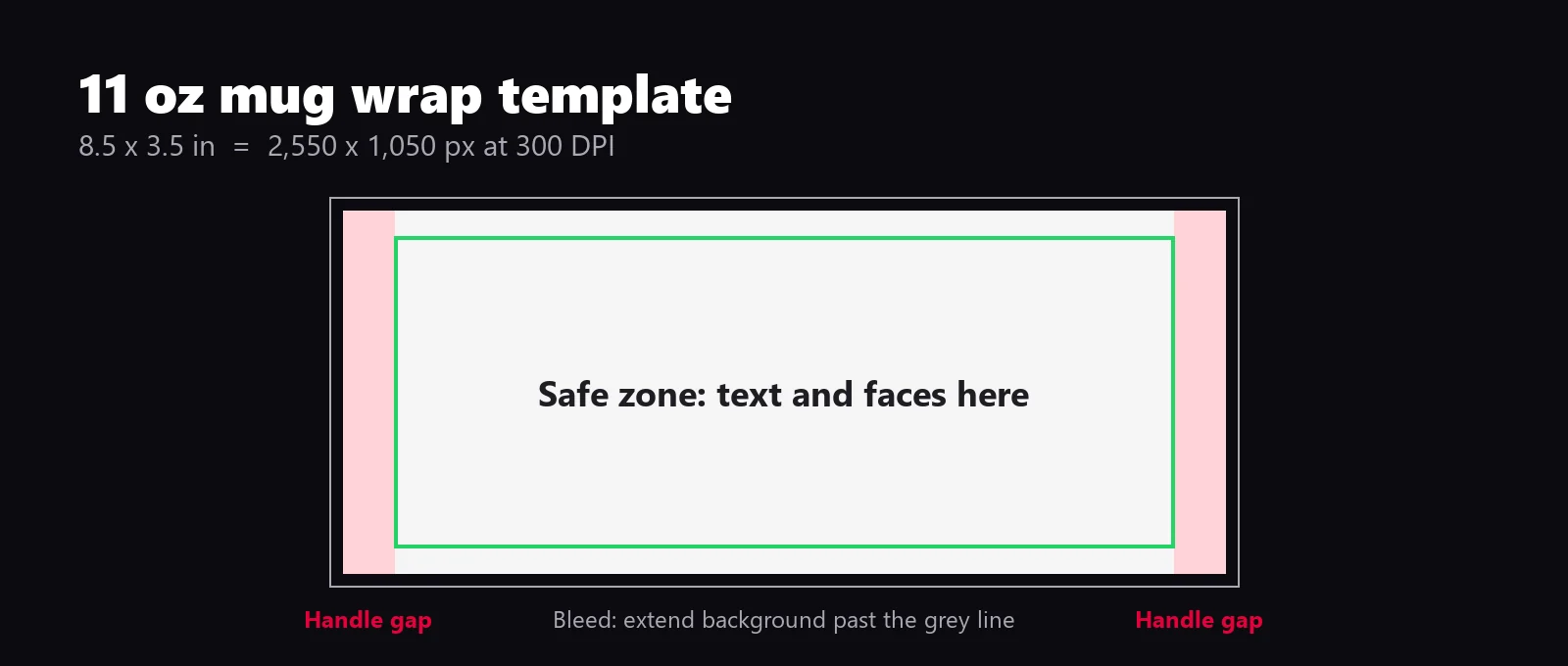
The standard sublimation mug design size for an 11 oz mug is about 8.5 × 3.5 inches (2,550 × 1,050 pixels at 300 DPI) for a full wrap. A 15 oz mug needs about 8.5 × 4 inches (2,550 × 1,200 px). Leave a gap of about 0.5 inch at the handle, add a little bleed top and bottom, and measure your own blank, because mug sizes vary by supplier.
Mug printing is one of the easiest side businesses to start with a sublimation printer and a mug press, and the searches show it: "sublimation mug design size", "size in inches", "templates free", "PSD free download", "PNG", "ideas". Most people get stuck on the same two things: the exact canvas size, and finding designs they're allowed to sell.
Here are the sizes, a template setup that works, and design ideas that sell well on mugs.
What size is a sublimation mug design?
A sublimation mug design for a standard 11 oz mug is about 8.5 inches wide and 3.5 inches tall for a full wrap, or 2,550 × 1,050 pixels at 300 DPI. A 15 oz mug is about 8.5 × 4 inches. For a single-side design, use roughly 3.5 × 3.5 inches on the side facing the drinker or away from them.
| Mug | Wrap size (in) | Pixels at 300 DPI |
|---|---|---|
| 11 oz standard | about 8.5 × 3.5 | about 2,550 × 1,050 |
| 15 oz standard | about 8.5 × 4 | about 2,550 × 1,200 |
| 11 oz magic (colour-change) | about 8.5 × 3.5 | about 2,550 × 1,050 |
| 12 oz latte / conical | curved template from supplier | use supplier file |
| One side only | about 3.5 × 3.5 | about 1,050 × 1,050 |
These are typical values. Measure your mug's printable area with a tape (between the rims, and around the body excluding the handle) before you design, because blanks differ slightly between suppliers.
How do you set up a sublimation mug template?
Set up a sublimation mug template by creating a canvas at the wrap size at 300 DPI, marking a 0.5 inch gap where the handle sits, keeping text and faces at least 0.25 inch from the top and bottom edges, and mirroring the image before printing. Extend background colour slightly past the edges as bleed.
- Canvas: 2,550 × 1,050 px at 300 DPI for 11 oz.
- Handle gap: about 0.5 inch at both ends; nothing important there.
- Safe zone: keep text 0.25 inch inside the rims.
- Bleed: extend backgrounds a little past the edges.
- Mirror: flip horizontally before printing on sublimation paper.
A left-handed or right-handed mug? Put the main design on the side facing away from the drinker for display photos, or on both sides so it works for everyone.
What mug designs sell best?
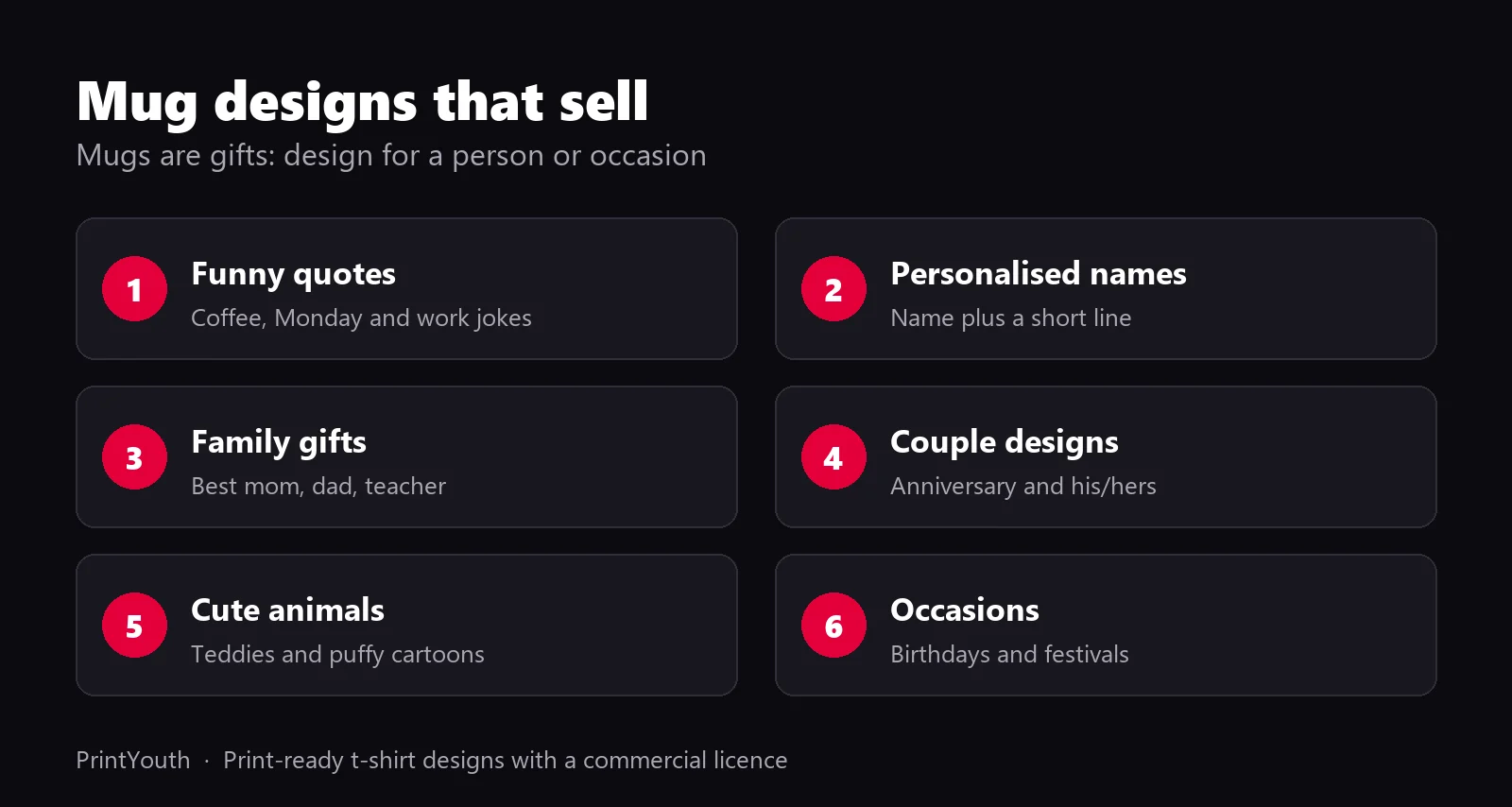
The mug designs that sell best are short funny quotes, names and personalised text, "best mom/dad/teacher" gifts, couple and anniversary designs, cute cartoon animals, office humour, and festival or birthday designs. Mugs are bought as gifts, so designs that suit a person or occasion outsell generic art.
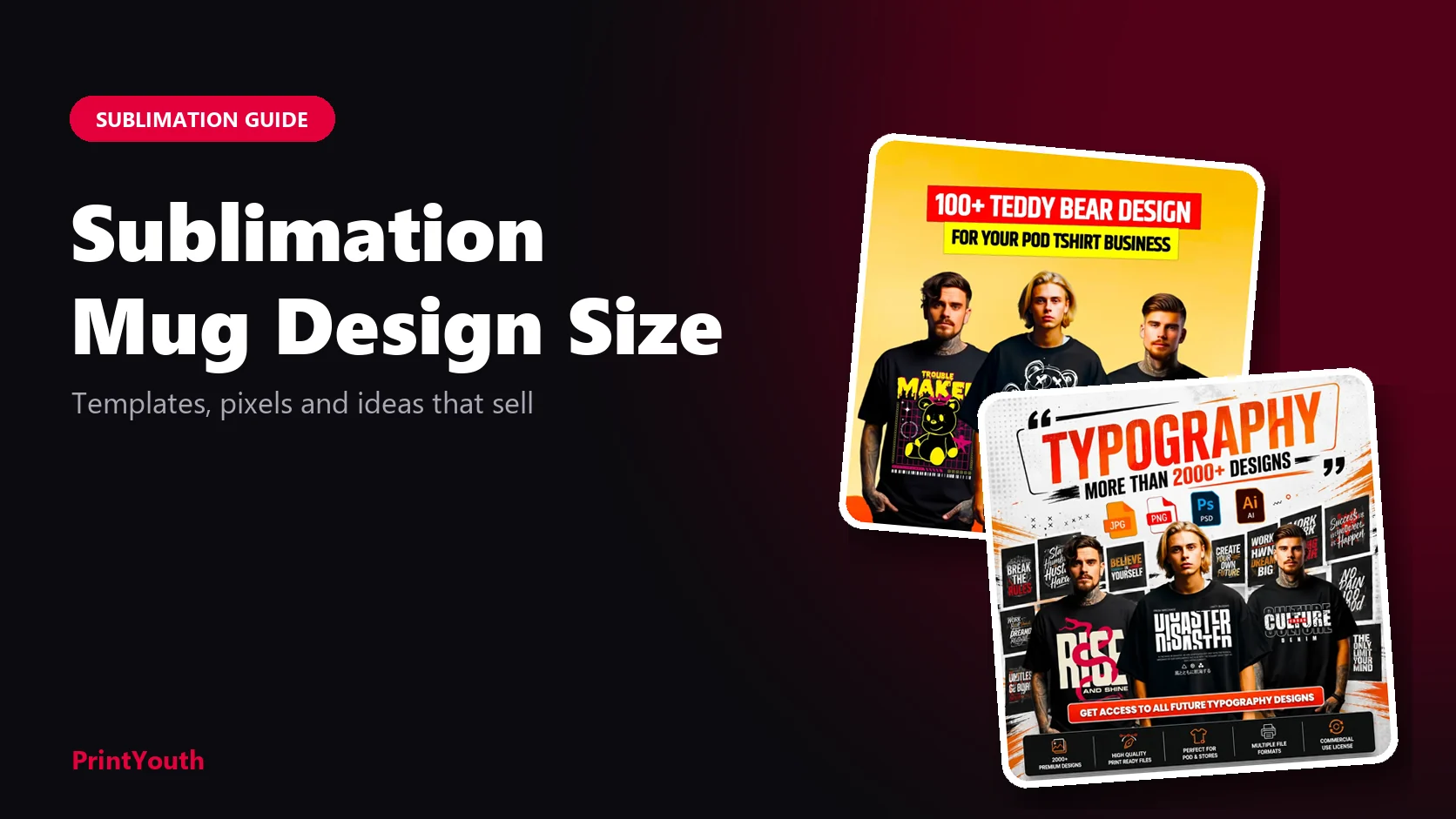
Typography-led quotes are the easiest to sell and personalise. A big typography bundle lets you make dozens of quote mugs without designing from scratch; the typography guide shows the layouts that work.
Can you use t-shirt designs on sublimation mugs?
Yes. Most t-shirt designs work on mugs if they're high resolution PNGs, because a mug print area (about 3.5 inches tall) is much smaller than a shirt. Wide text designs fit the wrap well; tall designs should be scaled down to one side. Check the licence covers mugs or "all products", not shirts only.
Cute animal and character designs translate especially well to mugs, like the teddy design bundle or bright puff animals.
Are free sublimation mug PSD and PNG designs safe to sell?
Free mug PSDs and PNGs are fine for personal gifts, but many carry personal-use-only licences or include copied characters and brand logos. For mugs you sell, use designs you made or bought with a commercial licence, and avoid cartoon characters, film quotes and team logos you don't have rights to.
Why does my sublimation mug have white gaps or faded spots?
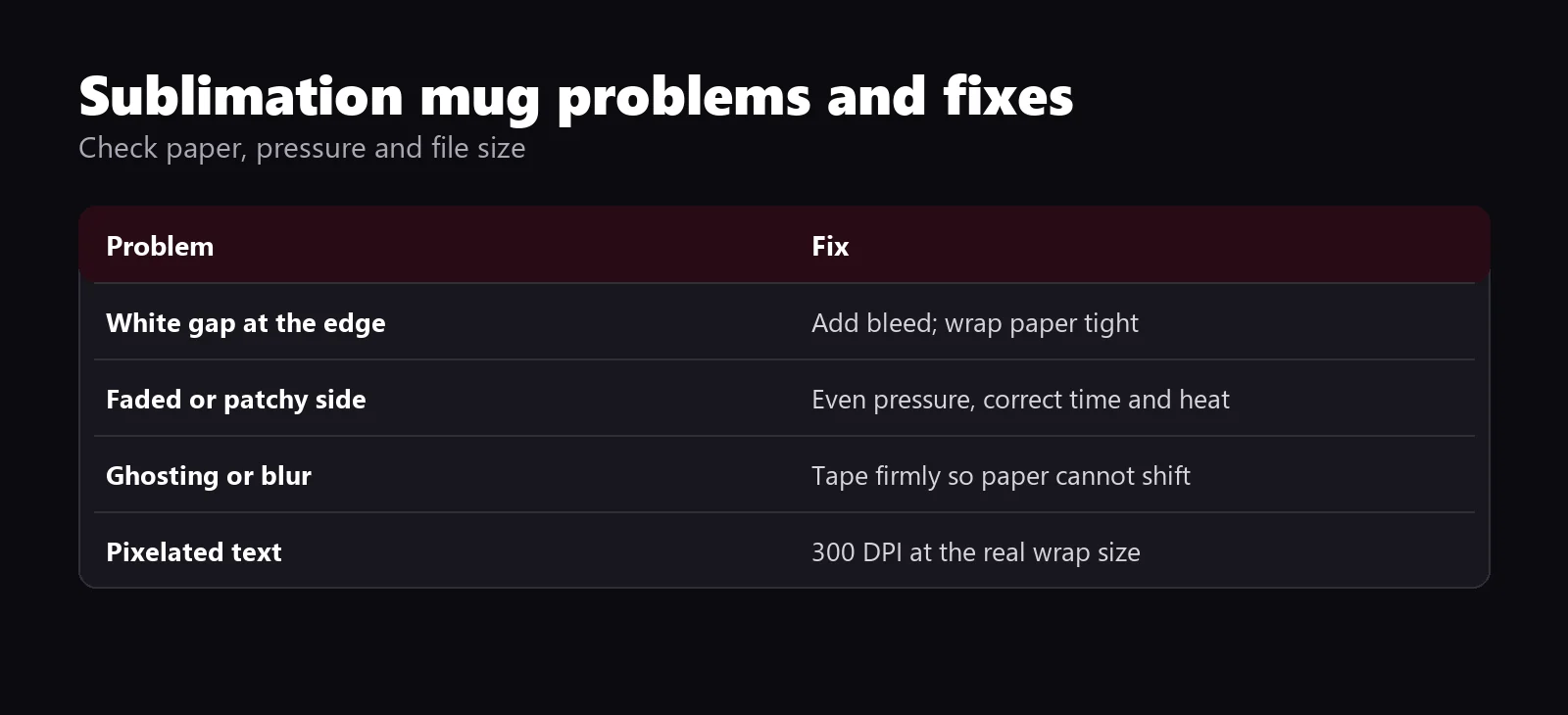
White gaps usually mean the design didn't reach the edge (no bleed) or the paper wasn't tight against the mug. Faded or patchy spots usually mean uneven pressure or too little heat or time. Tape the paper firmly, check the press pressure, and follow your blank's time and temperature.
Frequently asked questions
What size is a sublimation mug design in inches?
About 8.5 × 3.5 inches for an 11 oz mug wrap, and about 8.5 × 4 inches for 15 oz.
What size is an 11 oz mug design in pixels?
About 2,550 × 1,050 pixels at 300 DPI.
Do I need to mirror a sublimation mug design?
Yes, flip it horizontally before printing so text reads correctly on the mug.
What DPI is best for mug designs?
300 DPI at actual size for sharp text and detail.
Can I sublimate a coloured mug?
Only the white sublimation-coated area. Coloured-inside or coloured-handle mugs still need a white printable body.
What are the best-selling mug designs?
Funny quotes, personalised names, family and couple gifts, cute animals and occasion designs.
The short version
Design 11 oz mugs at about 8.5 × 3.5 inches (2,550 × 1,050 px), leave a handle gap, keep text inside the safe zone, add bleed and mirror before printing. Sell gift-led designs with a commercial licence.
For quote mugs, the Mega Typography Bundle gives you ready lettering; more mug-ready art is coming to the All-Over Sublimation section. Join early access above to hear first.
Last updated: 22 November 2026.