INR – Indian Rupee
 EUR – Euro
 NZD – New Zealand Dollar
 PKR – Pakistani Rupee
 PHP – Philippine Peso
 BDT – Bangladeshi Taka
 LKR – Sri Lankan Rupee
 NPR – Nepalese Rupee
 MMK – Myanmar Kyat
DTF artwork should be a PNG with a transparent background, saved at the final print size at 300 DPI (for example 3300 × 3900 px for an 11 × 13 inch print), in RGB colour. There must be no white box, no soft semi-transparent haze around the edges, and no lines so thin they break when printed.
DTF printers are forgiving machines with one strict rule: whatever isn't transparent gets printed, with white ink and glue underneath. That's why a file that looks perfect on your phone can arrive on the shirt with a faint rectangle around it, fuzzy edges or broken lettering.
This guide covers what a DTF printer actually needs, why each rule exists, and a five-minute check you can run on any file, including the ones you buy.
What are the DTF artwork requirements?
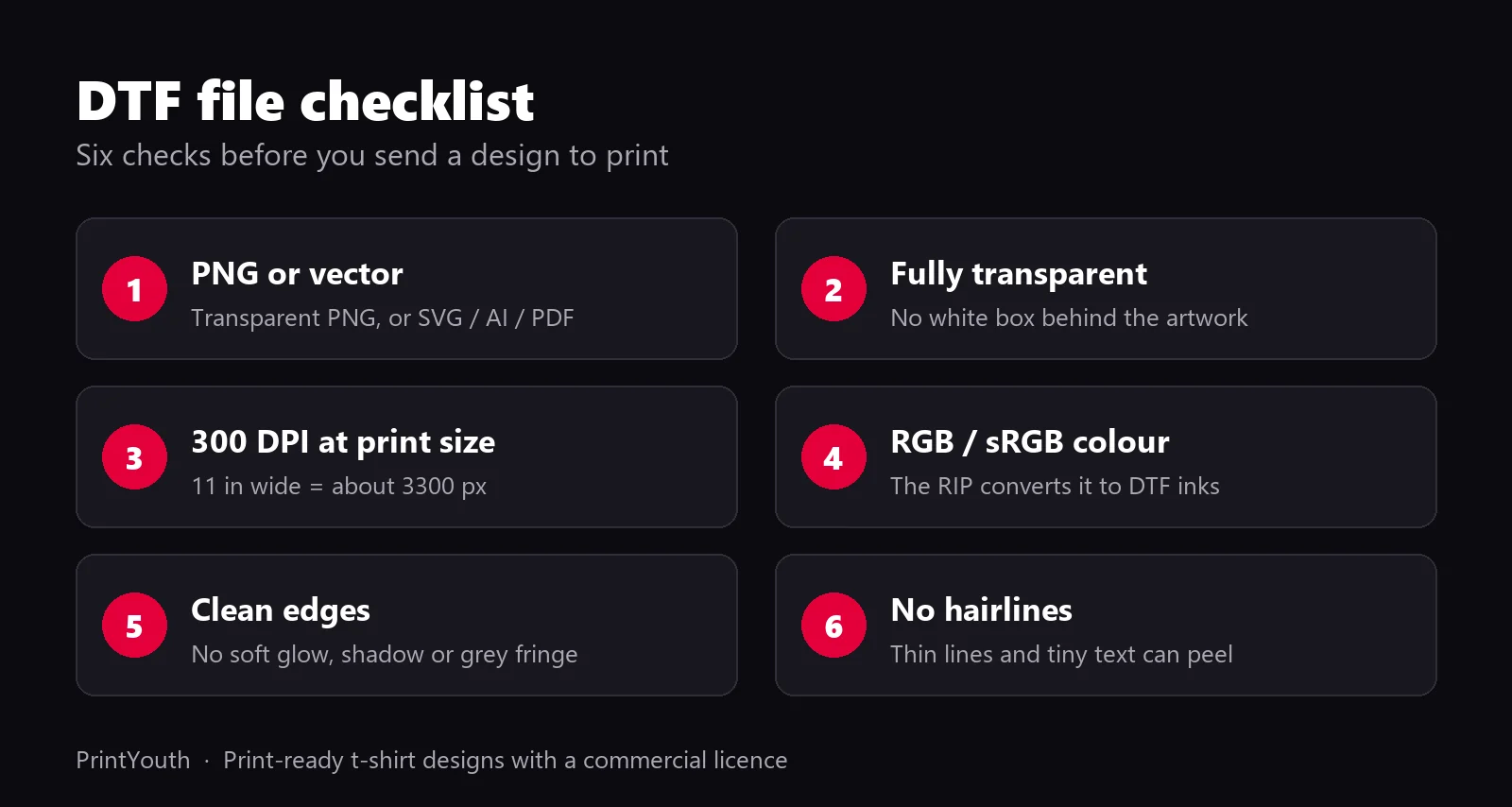
DTF artwork must be a high-resolution PNG (or a vector PDF, SVG or AI file) with a transparent background, built at the final print size at about 300 pixels per inch, in RGB or sRGB colour. Edges must be clean, and every pixel you don't want printed must be fully transparent.
That's almost word for word what US transfer printers publish. Transfer305's artwork guidelines, for example, ask for "PNG, or a vector PDF, SVG, or AI file, built at the final print size with about 300 pixels per inch, in RGB/sRGB colour". Indian DTF printers ask for the same thing, even when the WhatsApp message just says "send PNG, no background".
| Requirement | What to use | Why it matters |
|---|---|---|
| File type | PNG (or vector PDF / SVG / AI) | Keeps transparency; JPG can't |
| Background | Fully transparent | Anything else prints as a white box |
| Resolution | 300 DPI at print size | Lower resolution prints soft or pixelated |
| Colour mode | RGB / sRGB | DTF RIP software converts it; CMYK files can shift |
| Edges | No semi-transparent haze | Haze prints as a faint glue outline |
| Fine detail | No hairline strokes or tiny text | Very thin lines can break or peel |
What is the best file format for DTF printing?
PNG is the best file format for DTF printing because it holds a transparent background and lossless detail. Vector files (SVG, AI, PDF) are also fine, especially for text and logos, because they scale to any size. JPG is the worst choice: it can't be transparent and its compression leaves blotchy edges.
People often ask for a ".dtf file". There's no such format. The DTF printer's RIP software takes your PNG and converts it into ink layers for that specific machine. You send a PNG; the print shop does the rest. If someone offers to sell you ".dtf files", what they mean is print-ready PNGs.
PSD files are the exception worth knowing. A PSD is great for editing, because you can change colours or text on separate layers, but most printers want a flattened PNG export, not the layered PSD.
What DPI does DTF artwork need?
DTF artwork needs 300 DPI at the size it will be printed. In practice that means multiplying the print width and height in inches by 300. A file that's 300 DPI but only 1000 pixels wide is still only good for a print about 3.3 inches wide.
| Print size | Pixels needed at 300 DPI | Typical use |
|---|---|---|
| 3.5 × 3.5 in | 1050 × 1050 px | Left-chest logo |
| 8 × 10 in | 2400 × 3000 px | Youth front |
| 11 × 13 in | 3300 × 3900 px | Adult front |
| 12 × 16 in | 3600 × 4800 px | Full back |
| 14 × 18 in | 4200 × 5400 px | Oversized back |
The DPI number stored in a file means very little on its own. A 72 DPI PNG that's 3600 pixels wide prints a perfectly sharp 12-inch design; you just tell the software to print it at 300 DPI. Pixels are what count. That's also why upscaling a small image in Photoshop doesn't fix it: you get more pixels, not more detail.
How do you keep a transparent background clean for DTF?
Keep a DTF background clean by removing it completely, not by setting it to "almost transparent". Check the edges at 300–400% zoom: you should see solid artwork meet the checkerboard pattern with no grey fringe, no leftover white pixels and no drop shadow fading into nothing.
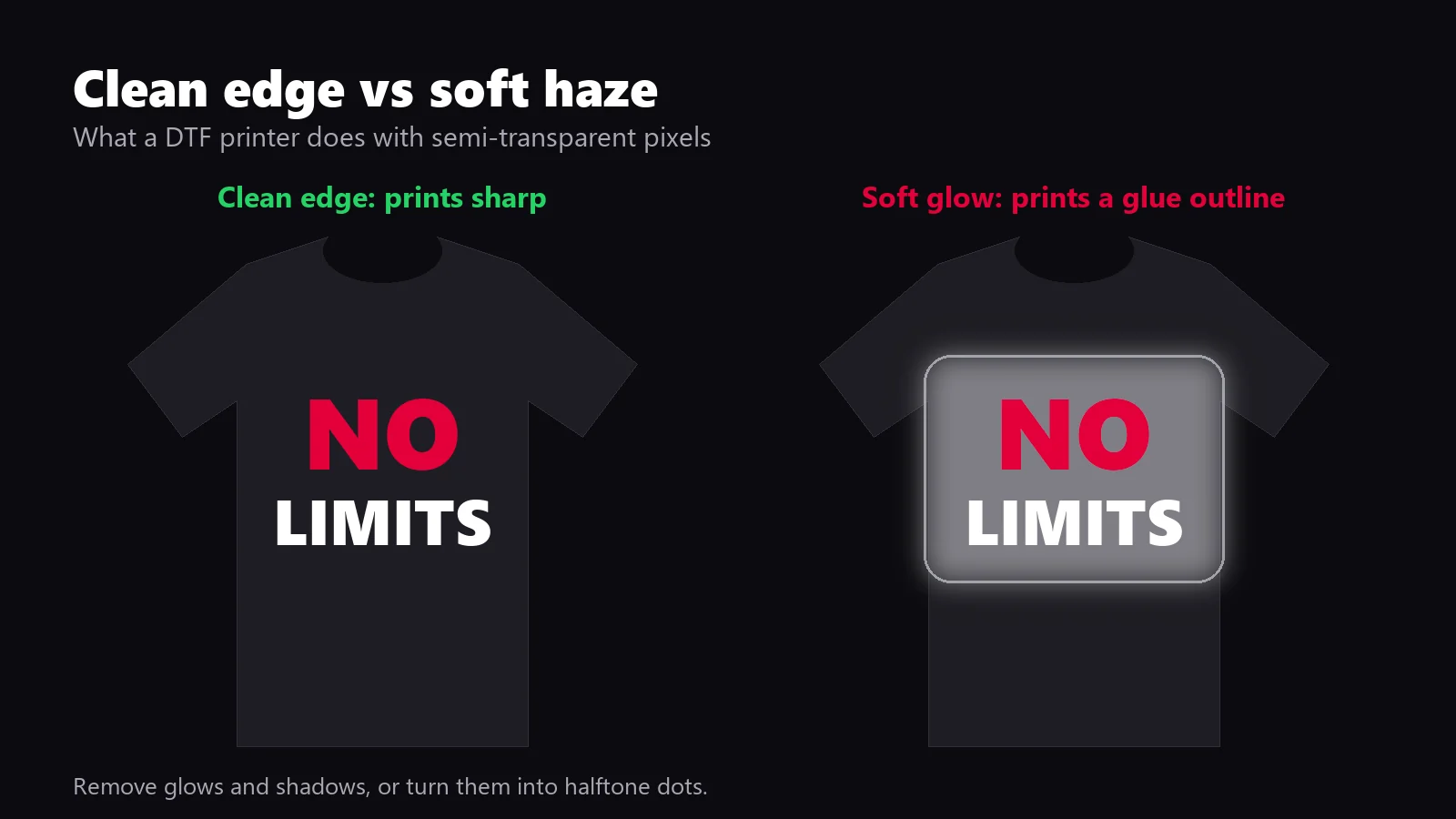
Soft shadows, outer glows and feathered edges are the usual culprits. On screen they fade out beautifully. A DTF printer can't print "20% white", so it either prints those pixels fully or drops them, and you get a ragged edge or a pale halo of glue around the design. Remove soft effects, or convert them to halftone dots, which DTF reproduces well.
Background removal tools in Canva, Photoshop and free sites work fine for photos, but check the result. They often leave a one-pixel white fringe that only shows up on a black shirt.
Should DTF artwork be RGB or CMYK?
Use RGB (sRGB) for DTF artwork unless your printer asks otherwise. DTF RIP software is built to convert RGB files into its own ink set, and many printers specifically ask for sRGB. CMYK files can make colours shift or look dull after conversion.
Remember that a screen glows and a shirt doesn't. Neon greens and electric blues on your monitor will print a little calmer. If a brand colour must match exactly, order one test print before a full run.
Which details are too small to print with DTF?
Hairline strokes, very small text and tiny isolated dots are the details most likely to fail in DTF. They can print, but they have so little glue contact with the fabric that they lift in the wash. Keep lines clearly thicker than a pencil stroke at print size, and keep small text bold.
A practical test: print your design on paper at actual size. If you have to squint to read a word or see a line, it's too thin for a transfer that will be washed fifty times. Distressed textures are the other trap. Thousands of tiny specks look great on screen, but each one needs to bond to the fabric on its own.
How do you check a DTF file in five minutes?
Open the file, confirm it's a PNG with a transparent background, check the pixel size against your print size, zoom to 400% on the edges, look for semi-transparent effects, and check the smallest text and lines. If all pass, it's ready to send.
- Format: the file name ends in .png (or .svg / .pdf for vector).
- Transparency: open it in Photopea, Photoshop or any viewer that shows a checkerboard behind the image.
- Size: image width in pixels ÷ 300 = the widest sharp print in inches.
- Edges: zoom to 400% and scan the outline for grey fringe or white specks.
- Effects: look for drop shadows, glows or soft fades.
- Fine detail: check the smallest text and thinnest lines at actual print size.
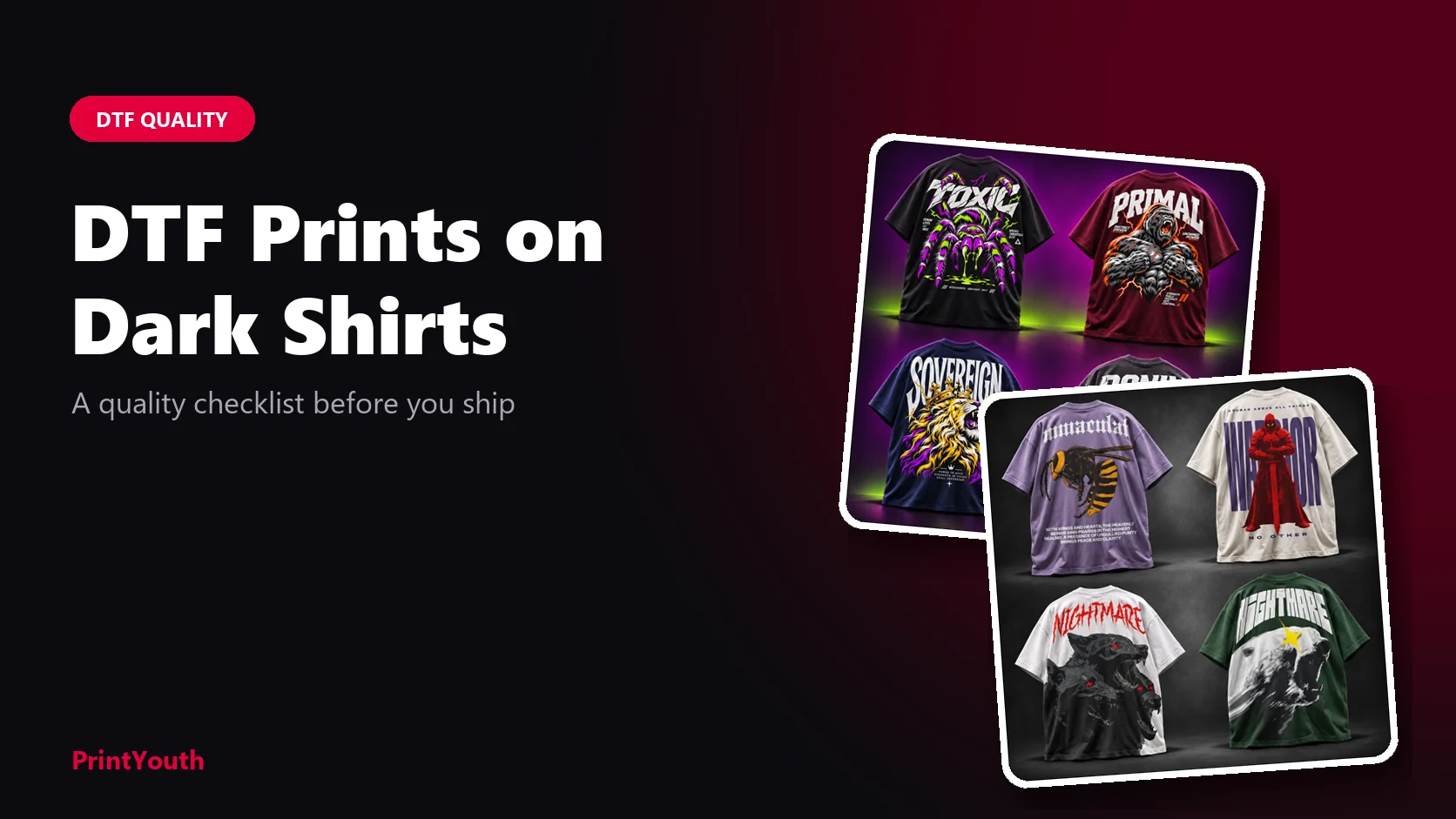
When you buy designs, ask the seller whether files meet these rules before you pay. Every PrintYouth design is a transparent PNG large enough for a full adult print, and the big bundles add layered PSD and EPS files so you can edit text and colours. If you'd like the details, the licence page covers what you can print and sell.
Frequently asked questions
What image format is best for DTF printing?
PNG with a transparent background is the best format for DTF. Vector files such as SVG, AI or PDF also work well for logos and text. Avoid JPG, because it can't hold transparency.
Is there a special .dtf file format?
No. You send a PNG or vector file, and the printer's RIP software converts it into ink layers for their machine. "DTF files" for sale are simply print-ready transparent PNGs.
Can I use a 72 DPI image for DTF?
Only if it has enough pixels. What matters is pixels at print size: an 11-inch print needs about 3300 pixels across. A 72 DPI file with that many pixels prints fine once set to 300 DPI.
What size should a DTF image be for a shirt?
For an adult front print, build the file around 11 × 13 inches at 300 DPI, which is about 3300 × 3900 pixels. A left-chest logo needs about 1050 pixels across.
Why does my DTF print have a faint box around it?
The background wasn't fully transparent. A near-white or semi-transparent background prints as a pale rectangle of white ink and glue. Remove the background completely and check at high zoom.
How do I create artwork for DTF transfers?
Design at the final print size, 300 DPI, in RGB, on a transparent background. Avoid soft shadows and hairline details, then export as PNG. Or start from ready-made print files and adjust them.
The short version
Send a transparent PNG at 300 DPI at the real print size, in RGB, with clean edges and nothing hairline-thin. Zoom in before you send it, because the printer will print exactly what's there.
If you'd rather skip the file prep, the Mega Typography Bundle and the Whole Shop Bundle come as DTF-ready transparent PNGs with editable source files.
Last updated: 22 November 2026.